One dashboard per client
Every client ad account in one workspace, billed per dashboard. Archive one and it stops being billed at the next renewal.
For Shopify brands and the agencies that run their Meta ads
Ads Manager blends everyone into one ROAS. Vibe9 shows what a new customer costs on 7-day click, checks it against your Shopify orders and tells you which ads to scale, refresh or fix this week.
The sample store opens at once: no sign-up, nothing to connect.
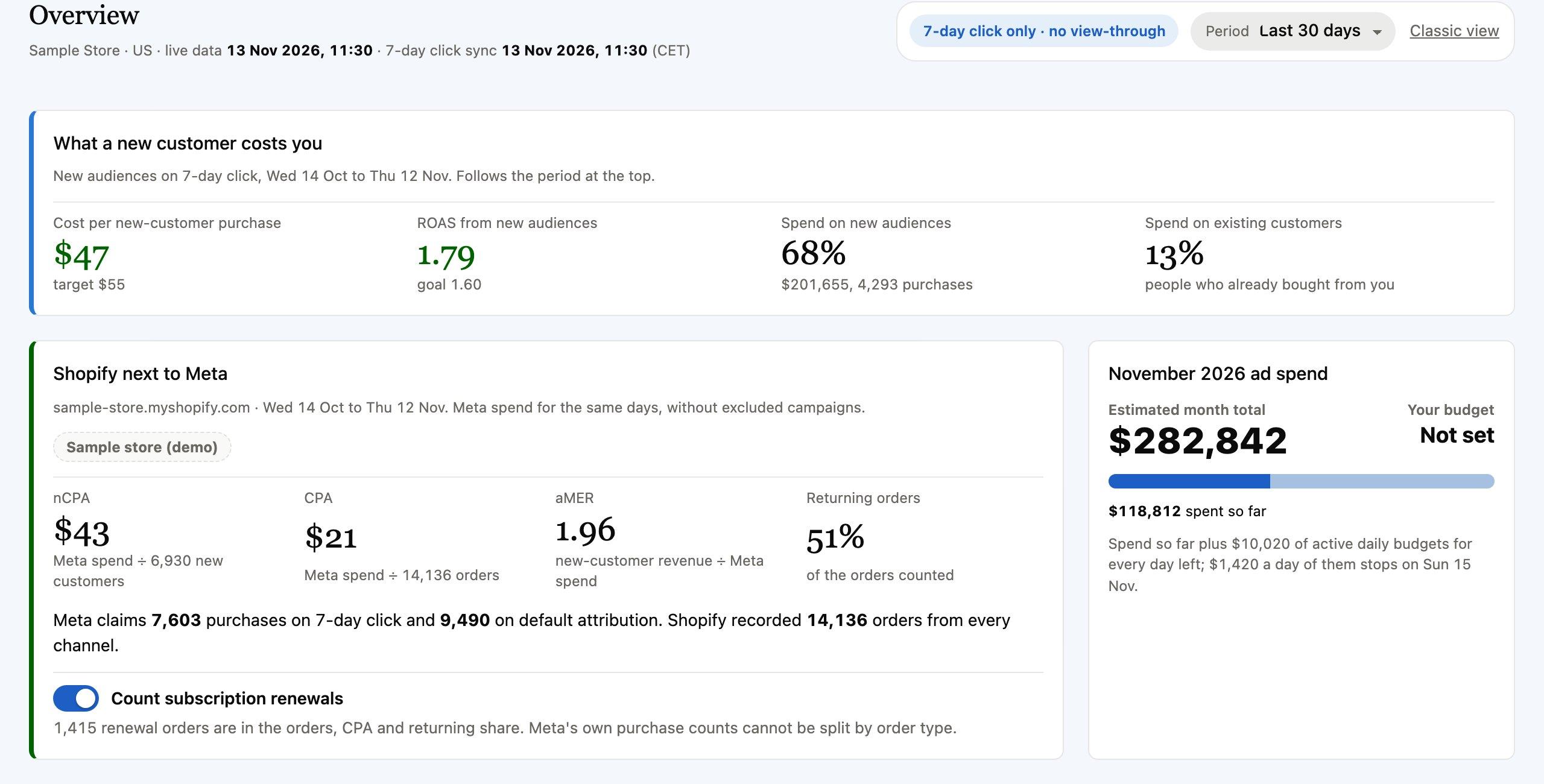
Overview
Cost per new-customer purchase and ROAS from new audiences, against your own targets. Connect your Shopify store and the same days show nCPA, CPA and aMER from real orders, next to what Meta claims.
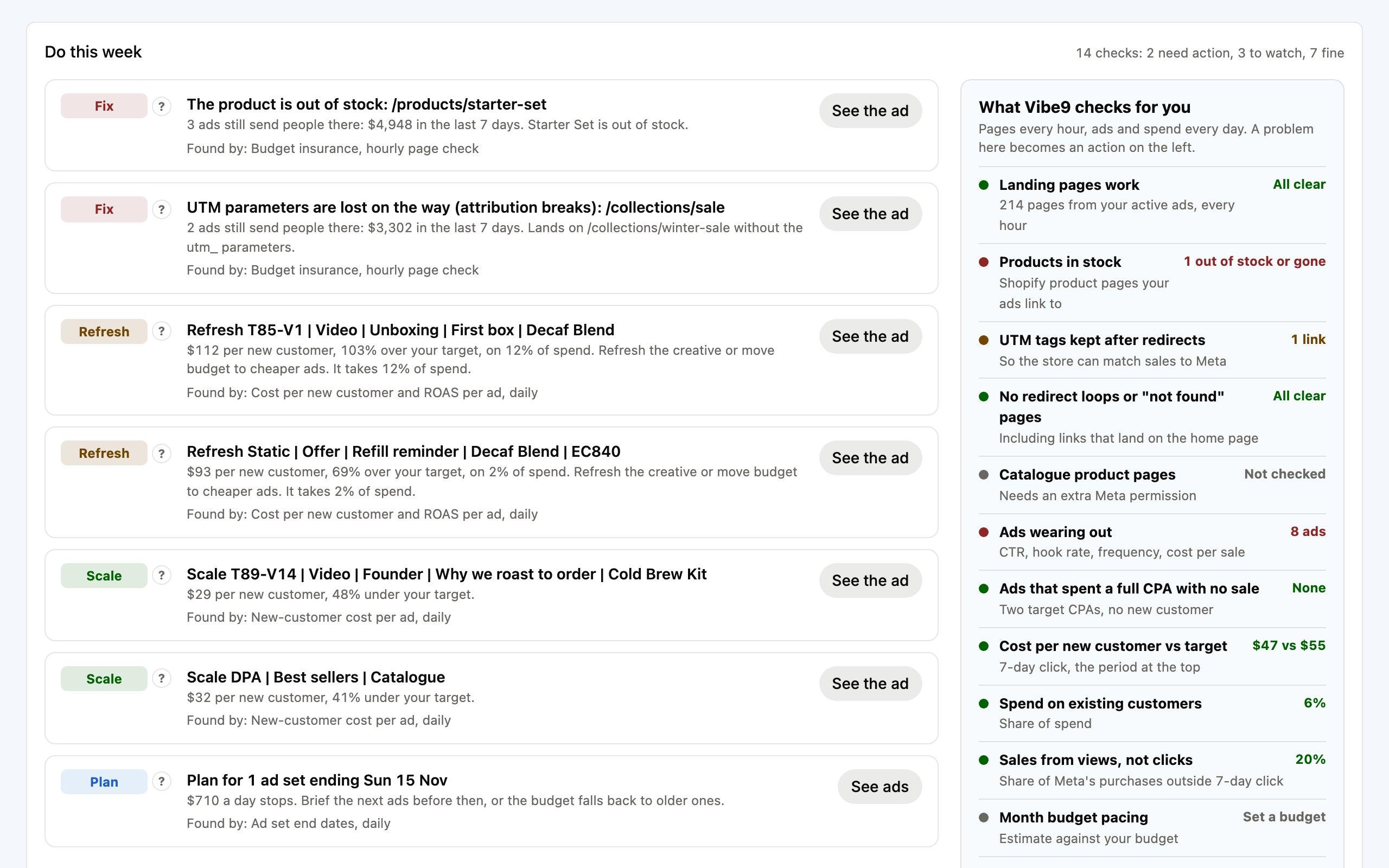
Do this week
Vibe9 checks your landing pages every hour and your ads and spend every day, then turns what it finds into a short list: what to fix, what to refresh and what to scale.
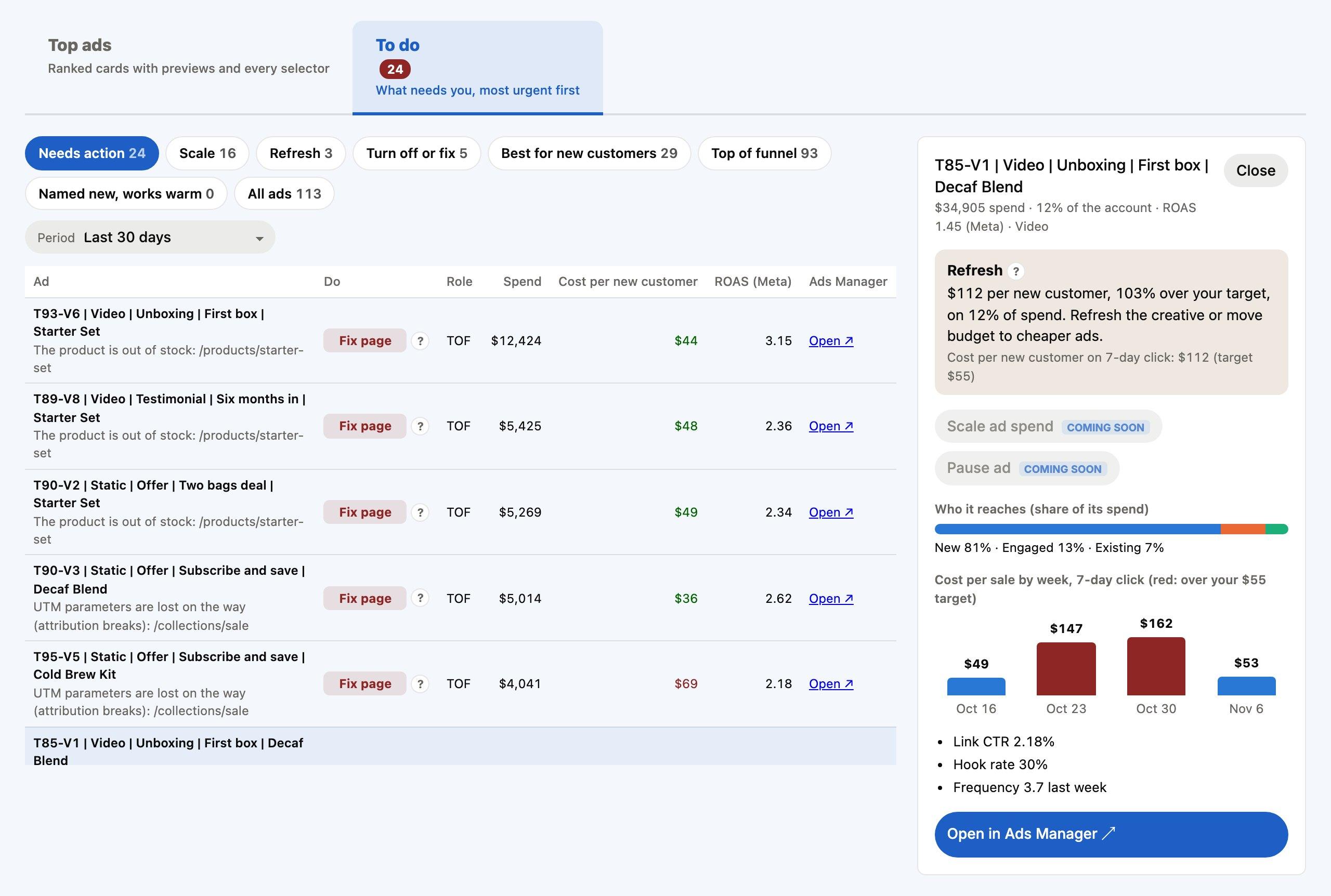
Ads
Every ad gets a status. Its 7-day click ROAS and cost per new customer are judged against your targets, and its CTR, hook rate and frequency against your account average. Open an ad to see why, who it reaches and what a sale cost week by week.
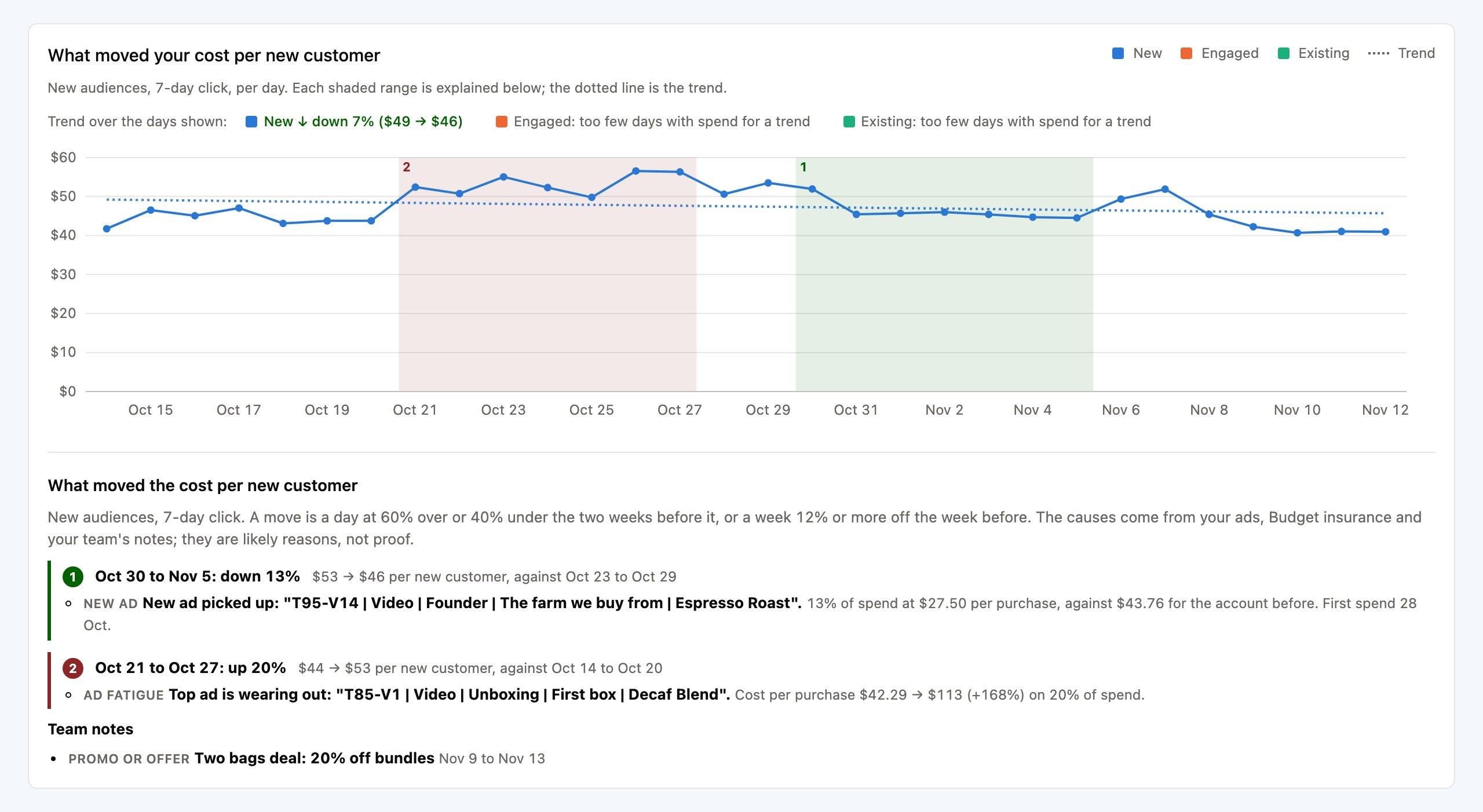
What moved your cost
When the cost jumps or drops, Vibe9 marks the days on the chart and names the likely cause: a new ad picking up, a top ad wearing out, a broken landing page or a promo your team noted.
Customer types
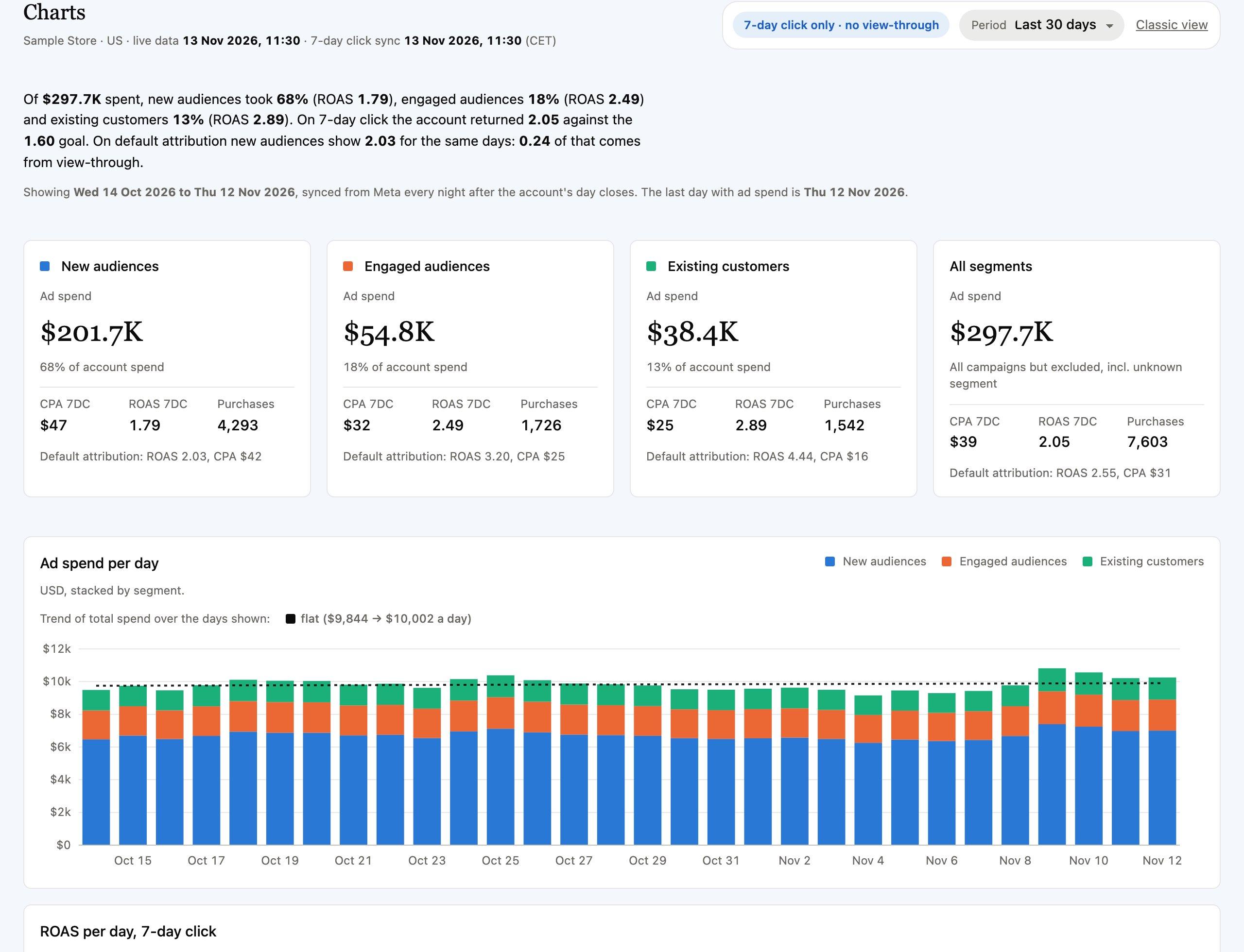
Spend, CPA and ROAS for new audiences, engaged audiences and existing customers, day by day. 7-day click and default attribution sit side by side, so you see how much of the reported ROAS comes from view-through.
Insights
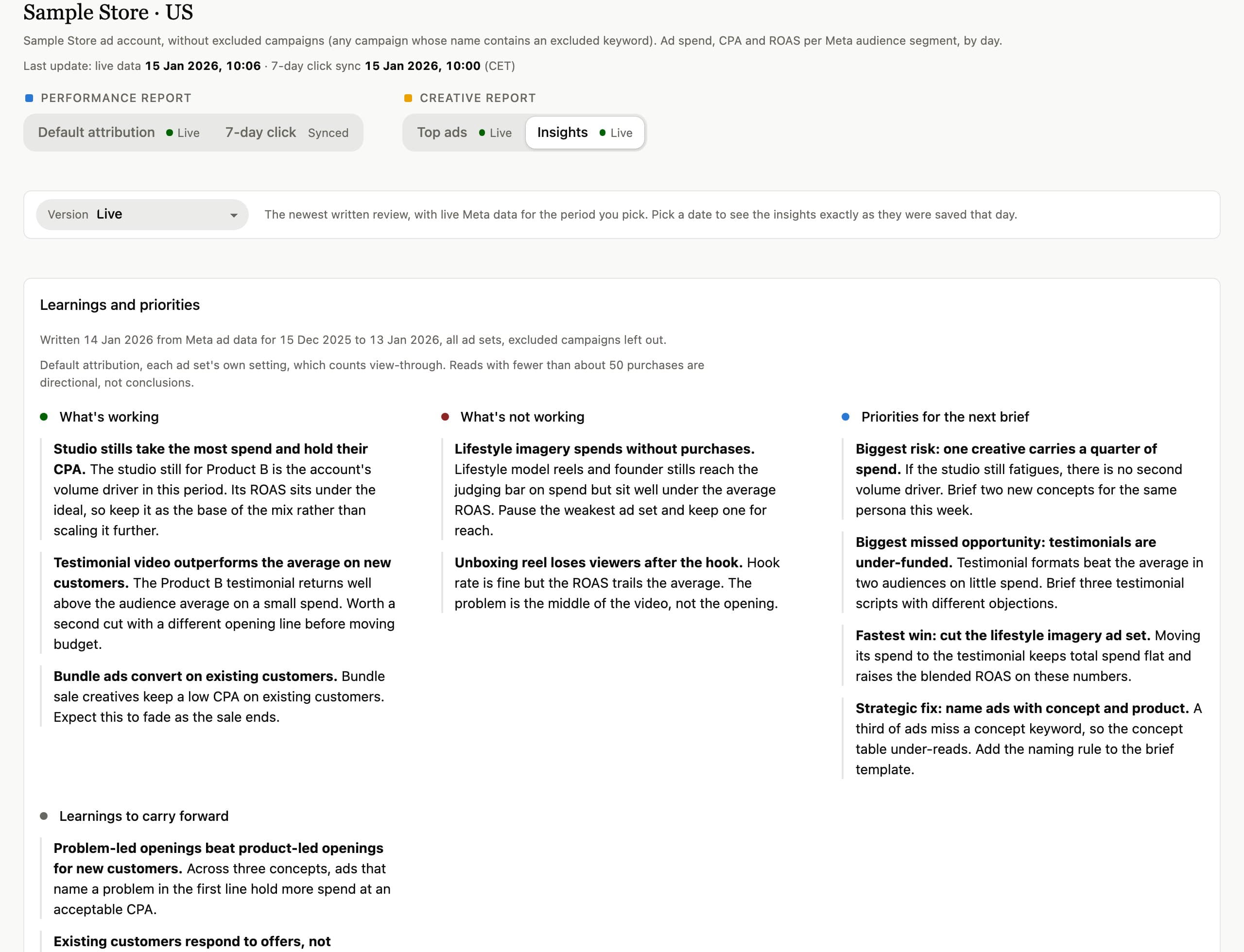
A plain-English review of the period: what is working, what is not, four priorities and the learnings to keep. Every number in it is checked against your data before you see it.
Budget insurance
Every hour, Vibe9 opens the landing page of every active ad. When one breaks, you get an alert by email or in Slack with the ads sending traffic there, what they spent in the last 7 days and a link to them in Ads Manager.
On for every dashboard. Vibe9 never pauses or changes your ads.
Vibe9 alerts
Budget insurance: 1 landing page broken in Acme
The product is out of stock: acme.com/products/red-coat
Campaign "Prospecting" > Ad set "Broad" > Ad "UGC hook 3"
These ads spent $840 in the last 7 days.
Open in Ads ManagerFor agencies
Every client ad account in one workspace, billed per dashboard. Archive one and it stops being billed at the next renewal.
Invite clients as viewers. They see the dashboards you assign and nothing else, and cannot change settings.
Share a read-only link that needs no sign-in, with an expiry date you choose, and revoke it whenever you like.
How it starts
Pricing
$49 per store per month, with no additional fees. Add or archive stores any time, and pay only for the ones you use.
$49per store, per month
No additional fees. 14-day free trial.
Or $490 per store per year2 months free
Card required to start the trial. We remind you 3 days before it ends, and you are charged only if you keep it.
FAQ
No. Vibe9 asks Meta for read-only access (ads_read). It never edits campaigns, budgets or ads.
7-day click, with no view-through, for everything Vibe9 judges: the cost per new customer, the ad statuses and the charts. Where Meta’s own default-attribution figure sits beside it, it is labelled, so you can see how much of the reported ROAS comes from view-through.
For one question about one account, yes. Vibe9 does the part a chat does not. It syncs every account daily, keeps the history day by day and calculates each number the same way every time, so this week can be compared with last week. Your client gets a read-only link, with nothing to prompt and no sign-in. A chat answers when you ask. Vibe9 has the numbers ready before you do.
You could have a first version in a weekend. Keeping it right is the job: Meta changes its API, a number stops matching Ads Manager, the team wants one more report, and someone has to check the data every week. Two hours a week of anyone’s time costs more than Vibe9 does, and those are hours your best marketer spends maintaining a tool, not growing the store.
A Meta ad account you can access, with audience segments set up in Ads Manager (Advertising settings → Audience segments), and your CPA and ROAS targets. Without the segments, spend shows as Unknown until you add them. A Shopify store is optional.
Orders only: totals, dates and whether it was the customer’s first order. Never names, emails or addresses.
No. Three days before your trial ends we email you the date and the exact amount, and you can cancel in one click on the Billing page. A yearly plan gets the same email before it renews. There are no AI credits or add-on fees, and monthly billing never locks you in.
Your dashboards become read-only, and their data is deleted 90 days later. The privacy policy has the details.
Connect your ad account in a few minutes. Free for 14 days.